

After splurging on the titanium-clad iPhone 15 Pro Max, I expected to settle comfortably into Apple’s walled garden. The hardware is undeniably superb—gorgeous display, blistering chip, and cameras that capture night like noon. Yet two months later I’m boxing it up for sale. The culprit isn’t the phone itself but iOS, whose quirks and constraints grate on me every single day. Notifications feel chaotic, customization is stifled, and multitasking is a missed opportunity. I don’t hate Apple, I just value flexibility more. Here’s a breakdown of the seven issues that ultimately sent me back to Android.
Notification Chaos: The Deal-Breaker
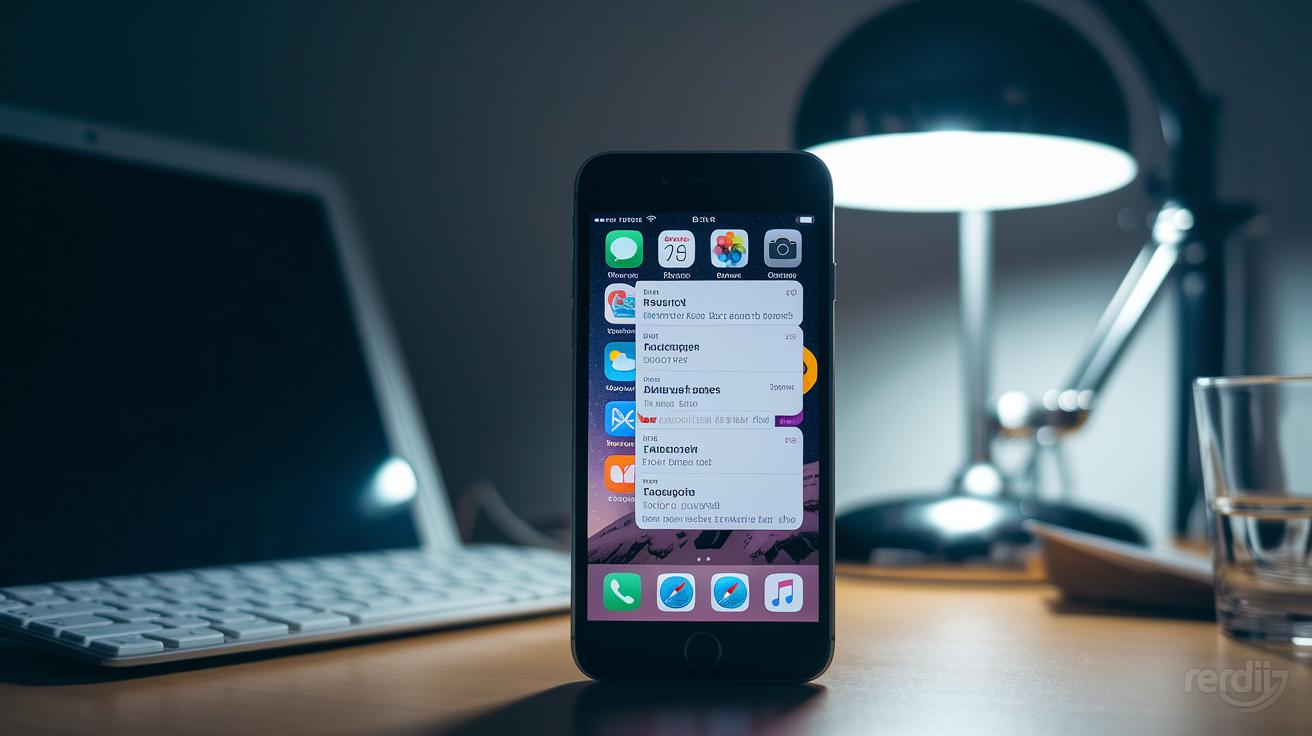
Apple’s Notification Center looks sleek at first glance, but spend a week with it and the polish wears thin. Alerts stack in random order, sliding up and down depending on how many arrive, so I constantly scroll to find missed messages. Critical reminders get buried under social-media pings, and there’s no simple ‘clear all’ gesture. Compare that with Android’s chronologic list, grouped by app and expandable with one swipe: I can triage everything in seconds. The fragmentation on iOS forces me to babysit the panel all day, a micro-stress that quickly becomes a macro frustration.
One Volume to Rule Them All? No Thanks

On the surface, the iPhone’s single Action button and volume rocker feel minimalistic, yet that minimalism hides a daily nuisance: no per-app audio sliders. If I lower the volume for a late-night YouTube video, my morning alarm is suddenly whisper-quiet. Games blare at full blast until I dive into their settings or rudely mute the entire system. Android gives me separate controls for media, ringtones, alarms, calls and even Bluetooth devices right from the drop-down panel, so I can tweak exactly what I need without missing a beat. iOS’s one-size-fits-all philosophy just isn’t flexible enough.
Where’s My Home-Screen Freedom?

In 2024, dragging icons into rigid grids feels like using Windows 95 again. iOS still forces every app to snap to the next available slot, leaving awkward gaps if I want a minimalist layout or to showcase a widget. I can’t place an icon dead-center, can’t create invisible spacers, and need wacky workarounds just to get a blank row. On Android, I long-press, drag anywhere, resize widgets freely and even swap entire launchers if I’m bored. That freedom lets the phone reflect my personality instead of Apple’s design doctrine, and it’s a freedom I sorely miss.
App Library: Helpful or Handcuff?

Apple introduced the App Library as a clever way to declutter screens, but it’s a take-it-or-leave-it solution with no room for personalization. Folders are auto-named, auto-sorted and often downright confusing, why is my banking app in ‘Productivity’ while my note-taking tool hides in ‘Other’? I can’t rename categories, can’t change icon positions, and most annoyingly, can’t disable the feature entirely. Android drawers, by contrast, let me hide apps, create custom tabs, or scrap the drawer for something third-party. Being forced into Apple’s classification system feels like renting a toolbox and discovering every wrench is glued in place.
Gestures That Miss the Mark
Once you master gesture navigation on Android, it’s hard to unlearn the convenience, and iOS just doesn’t keep up. Swiping back only from the left edge means I stretch awkwardly across the screen when using the phone in my right hand. There’s no ‘swipe up and hold’ quick app drawer, no customisable sensitivity, and the floating back arrow often conflicts with app side menus. On Android I can set the back action to either side, invoke Google Assistant from a corner swipe, or hide the navigation bar completely. Apple’s version feels half-finished by comparison.
Multitasking Power, Software Shackles

The iPhone 15 Pro Max’s A17 chip is a performance beast, yet iOS keeps it shackled. Split-screen remains an iPad exclusive, picture-in-picture is limited, and background tasks pause the second you switch away. On my former Android flagship I could run Spotify, edit a Google Doc in a floating window, and keep a YouTube tutorial pinned on top, all simultaneously. That level of productivity turns a phone into a pocket computer. With iOS I too often juggle apps one at a time, making the powerhouse hardware feel like a sports car stuck in first gear.
Why I’m Going Back to Android
All these pain points funnel into a simple realization: I’m happier in the Android ecosystem. Whether I choose a folding phone, a budget handset or a rugged model, I know the software will adapt to my habits instead of the other way around. Google’s open approach lets third-party apps dig deeper, launchers completely overhaul the interface, and developers experiment without waiting for Cupertino’s blessing. Apple excels at premium polish, but polish without flexibility feels like living in a beautiful hotel, you can’t rearrange the furniture. I’m ready to move back home, and my iPhone is up for sale.